



Every channel. More possibilities.
Send offers, answer every chat and follow up on every lead. WhatsApp, Instagram, Messenger and business email come together in one shared team inbox, built on Meta's official WhatsApp Cloud API.
The everyday messaging mess, sorted.
Chats scattered across WhatsApp, Instagram, Messenger and email
One shared team inbox for every channel, updated live
Leads from ads go cold before anyone replies
A chatbot replies straight away, tags the lead with its ad and passes it to a teammate
Sending offers one by one from a personal phone
Broadcast campaigns with approved templates, sent through Meta's official WhatsApp Cloud API
Staff passing one phone around to answer chats
Your whole team works on one number, with assignments, private notes and roles
Answering the same questions all day long
Chatbot flows and an AI sales agent that hand over to a person when needed
No idea whether your last campaign worked
See who got it, read it, replied and clicked, then retarget any group in one click
Campaigns, chats and leads, all in one place
Reach customers on WhatsApp, answer them quickly and turn more chats into sales, without juggling different apps.
Broadcast campaigns
A simple 4-step wizard: choose a template, pick your audience, personalise the message and add a header image, then send now or schedule it for later.
Click tracking & retargeting
Every person gets their own short link, so you see unique clicks. Filter by delivered, read, replied, clicked or failed and follow up with that group in one click.
65 ready-made templates
Offers, coupons, bills, orders, service and thank-you messages in English, Bengali and Hindi. Sync your own templates from Meta or submit new ones for approval.
Shared team inbox
WhatsApp, Instagram DMs, Messenger and business email (as an add-on) in one live inbox, with photos and files, tags, private notes and chat assignment.
No-code chatbot builder
Connect steps like buttons, lists, questions, delays, conditions and API calls on a visual canvas. Start flows by keyword, test them first, and run them on Messenger and Instagram too.
AI sales agent
Give it a persona plus your products, prices and FAQs. It replies on WhatsApp, Instagram and Messenger, marks keen buyers as a Hot Lead and hands over to your team.
Ad lead tracking
Chats that start from your Facebook or Instagram Click-to-WhatsApp ads are tagged with the ad, answered by a flow and counted in a lead report for each ad.
Contacts, Kanban & tasks
Import contacts from a CSV file with tags and custom fields. Move leads from New to Won on a Kanban board and give agents tasks with due dates.
Developer API & webhooks
Send templates and replies from your own software with API keys. Get signed outgoing webhooks, and trigger messages from WooCommerce, Shopify or Zapier.
From the first hello to a confirmed order
These illustrations use example businesses to show how WABizHub fits into your day.
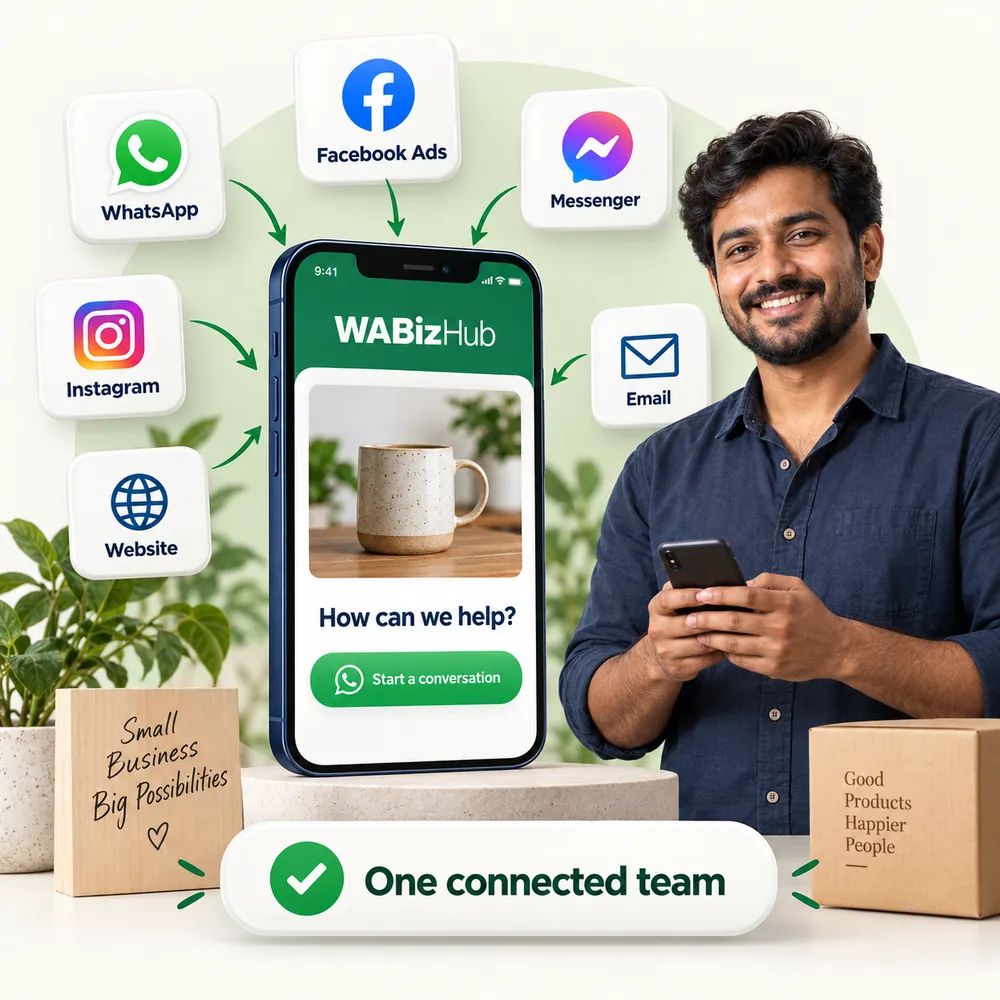
Many channels. One shared inbox.
WhatsApp, Instagram DMs, Facebook Messenger and business email all arrive in one live inbox. Your team sees every conversation and replies from the same screen.
- Assign chats, add private notes and tags, then resolve or reopen
- A 24-hour window countdown, so you know when a WhatsApp template is needed
- A WhatsApp chat button for your website, plus free link and QR code tools
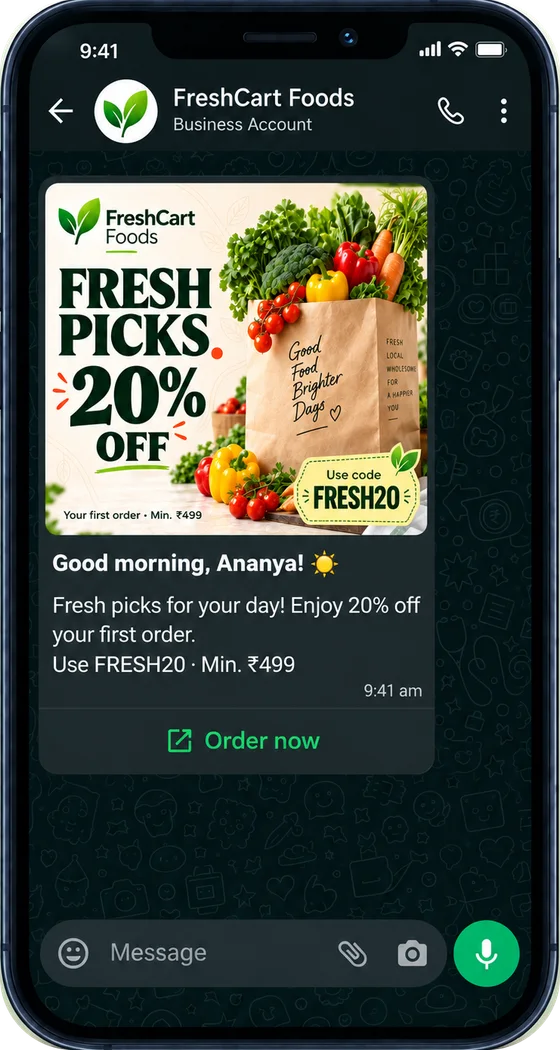
More than a message. Your next great offer.
Pick an approved template, choose who should get it and schedule it for the right moment. When customers tap and reply, the chat lands in your inbox so your team can follow up and close the sale.
- Choose your audience by tags, custom fields or a pasted list, with a live count
- See how many were sent, delivered, read, replied, clicked or failed for every campaign
- Customers who reply STOP are opted out automatically
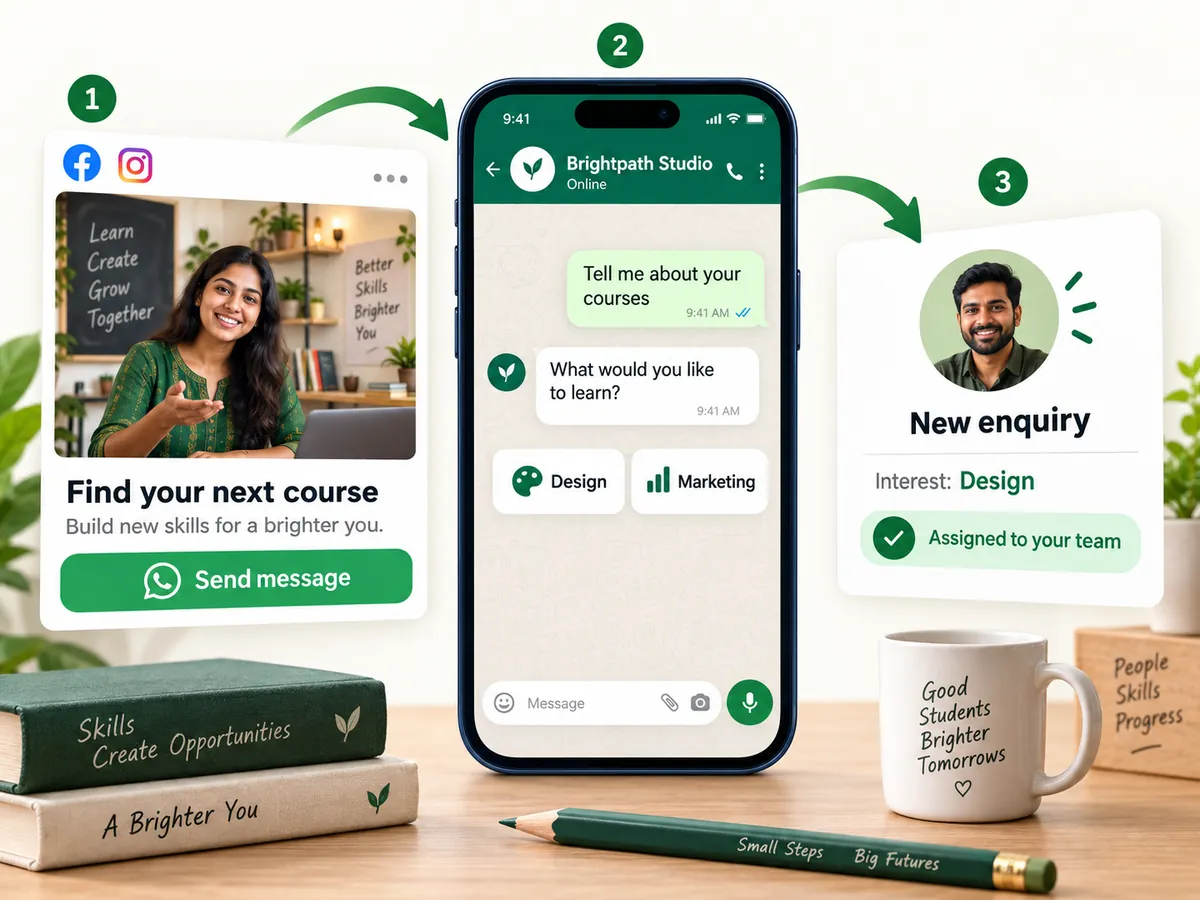
Turn ad clicks into enquiries your team can follow up on
When someone taps Send message on your Facebook or Instagram ad, WABizHub tags the chat with that ad, a chatbot flow greets them straight away and the lead goes to your team. You keep creating ads in Meta Ads Manager as usual.
- A lead report for every ad
- WhatsApp Forms with up to 12 fields, saved straight to the contact
- Automation rules that add tags, assign an agent, move the Kanban stage or create a task
Made to fit the way you sell

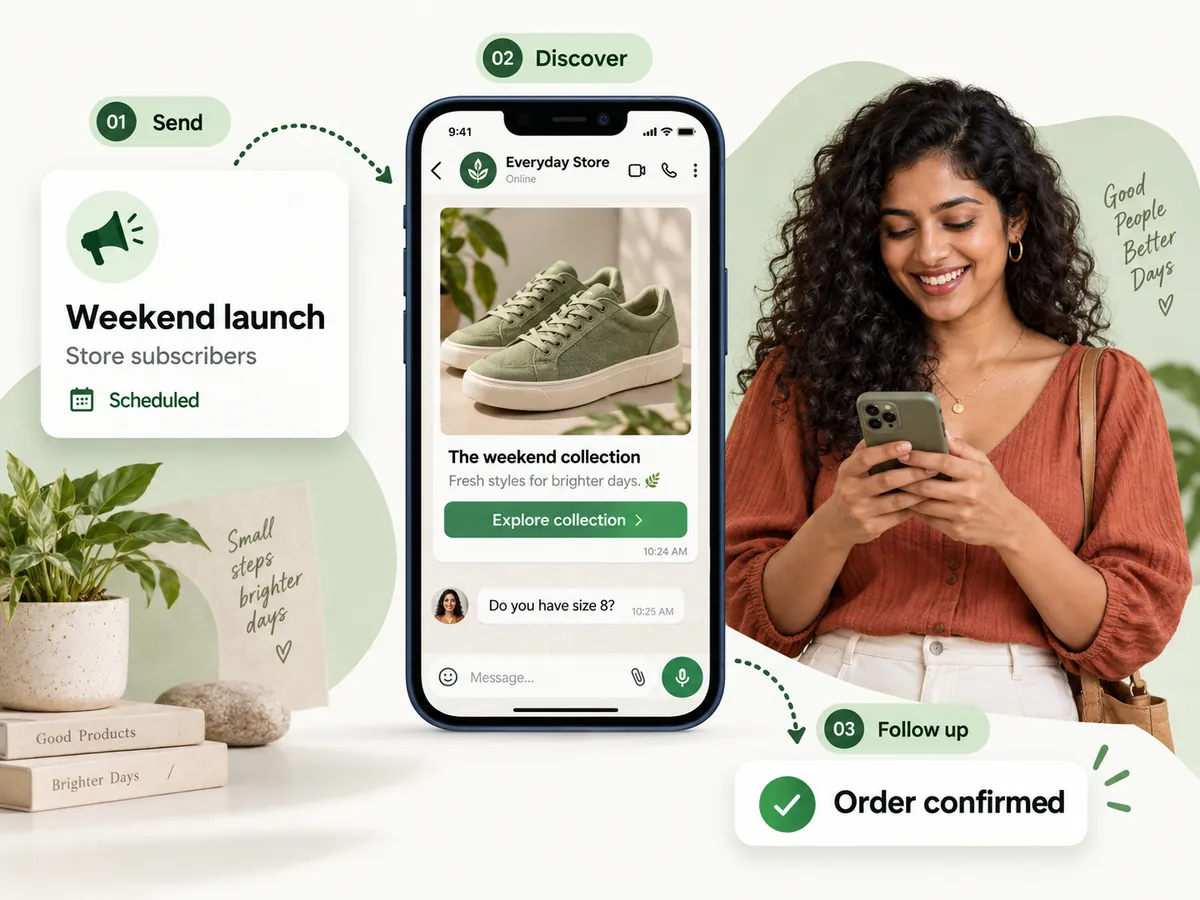
New arrivals, order updates and repeat buyers
Share the weekend collection with your subscribers, answer size and price questions in the shared inbox, and send order updates from your online store automatically.
- Offer, coupon, order and bill templates ready to use
- Follow up with everyone who clicked, or who has not read yet

Admission enquiries that don't go cold
Reply to course enquiries from your ads right away, collect details with a WhatsApp Form and keep every student's follow-up on track.
- A chatbot that asks what they want to learn
- Class reminders and admission follow-ups

Every client in its own workspace
Manage several businesses from one login. Each workspace has its own number, contacts, inbox, agents and wallet.
- Owner, Manager and Agent roles
- Agents get a simpler view with just chats, the Kanban board and their tasks
For businesses that grow through conversations
WABizHub questions, answered
Do I need a WhatsApp Business API number, and how do I connect it?
Yes. WABizHub is built on Meta's official WhatsApp Cloud API, so your number needs to be linked to a WhatsApp Business Account on Meta.
Connecting is simple: click “Connect WhatsApp with Facebook” and follow Meta's Embedded Signup, or enter your account details by hand. Once connected, you can see your number's quality rating and messaging tier. If you are new to this, our team will help you set it up.
What do messages cost?
You top up a prepaid wallet in WABizHub. It is charged only for template messages that are delivered, and the rate depends on the type of message: marketing, utility or authentication.
Replies you send within 24 hours of a customer's message are free. Ask us for the current rates.
Is there a free trial?
Yes. You can try WABizHub free for 7 days. After that, you choose a monthly plan. Plans differ in how many team members you can add, how fast you can send and extras such as click tracking. Tell us about your business and we will suggest the right plan.
Can my whole team share one WhatsApp number?
Yes. Invite teammates by email as Owner, Manager or Agent. Chats can be assigned, private notes stay inside the team, and agents get a simpler view with just chats, the Kanban board and their tasks. Everyone works in a web browser on a phone or computer, so there is nothing to install.
Is there an API for developers?
Yes. Send template messages, and replies within the 24-hour window, from your own software using API keys. You also receive signed webhooks for events. An API dashboard logs every call. You can also send messages from WooCommerce, Shopify or Zapier using inbound webhooks.
Your next great conversation starts here.
Tell us how you talk to customers today. We will show you WABizHub for your kind of business and help you connect your WhatsApp number.
More from Navriddhi
 BhojoneRestaurant POS & management
 ViniFlowBar, restaurant & FL shop billing
 SalonFlowSalon & spa management
 SwarnaPOSGold & jewellery shop billing
 WearzoClothing, footwear & watch shop billing
 GymPilotGym & fitness centre software
 PharmzoPharmacy billing software
 HealDeskHospital management software
 TripzoTravel & tour business software
 SchoolSchool management software
 HisabERP, stock management, POS & invoicing